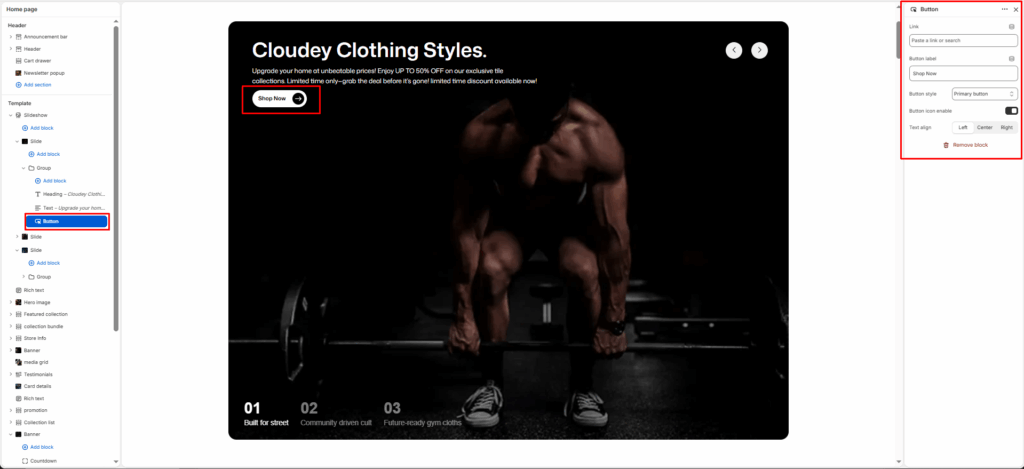
The Button Block adds a customizable call-to-action (CTA) button inside a section or group of blocks.
It allows merchants to link to any page, collection, or product, with adjustable label text, alignment, style, and optional icon display.
This block is commonly used in hero sections, featured content, image banners, and promotional sections to direct customers toward important areas of the store.
Link
Select or paste a link to a product, collection, or page. Determines where the button redirects when clicked.
Button label
The visible text is displayed on the button. Example: “Explore All Products” or “Shop Now.”
Button style
Choose between available button styles. The styles depend on your theme’s design system.
- Primary button
- Secondary button
- Full button
- Link button
- Button with icon
- Button icon
Text align
Sets horizontal alignment of the button–options: Left, Center, or Right.
Button icon enable
Toggles an icon (e.g., arrow) on or off next to the button text.