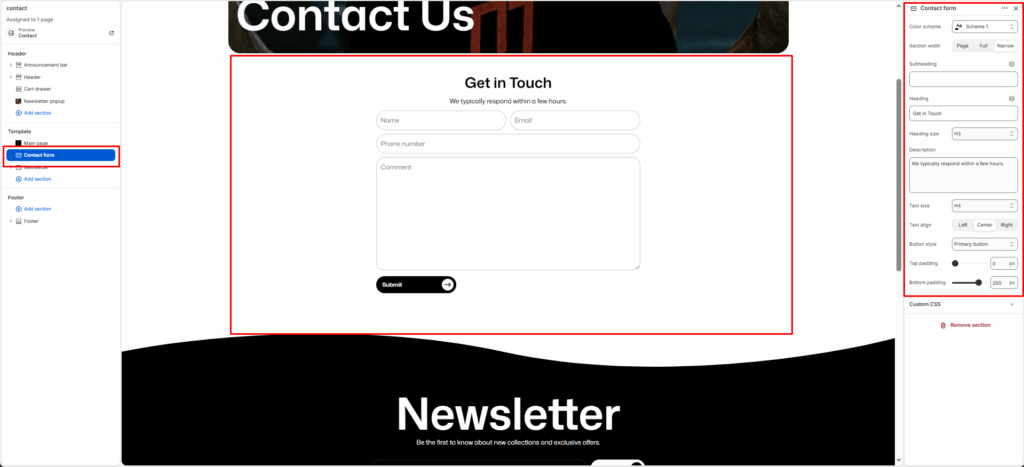
The Contact form section allows customers to reach out directly through your website. It includes customizable text content, contact fields, and optional image and info blocks for better presentation.
Section Settings
Color scheme
Choose a predefined color style from your theme’s color options.
Section width
Controls the section layout width. Options: Page, Full, or Narrow.
Subheading
A short text shown above the main heading, usually a small introduction like “Get in Touch.”
Heading
The main title for the section, such as “Let’s Chat, Reach Out to Us.”
Heading size
Selects the heading level (H1-H6). Use H2 or H3 for balance in design.
Description
Add a supporting paragraph under the heading. Example: “Have questions or feedback? We’re here to help. Send us a message, and we’ll respond within 24 hours.”
Text size
Adjusts the font size of the description text.
Button style
Lets you select a predefined button style.
Top padding
Adds vertical space above the section content. Value in pixels.
Bottom padding
Adds vertical space below the section content. Value in pixels.