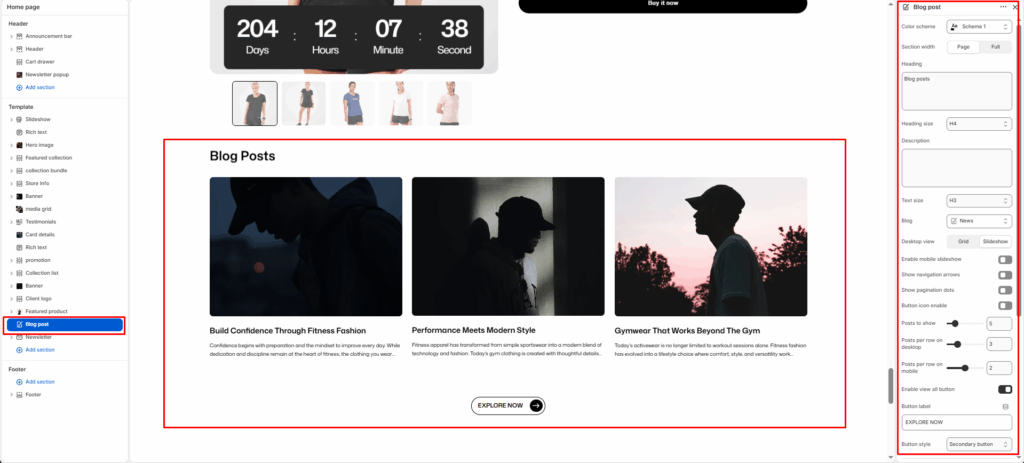
The Blog Post section showcases recent articles or stories from your Shopify blog. It’s ideal for highlighting educational content, product tips, lifestyle insights, or brand news — helping you engage customers and improve SEO visibility.
Section Settings
Color scheme
Select a predefined color palette to ensure the blog section blends seamlessly with your store’s theme.
Section width
Choose between Page or Full to control the horizontal span of the section.
Heading
Add a main title for the blog section (e.g., Clean Journal).
Heading align
Align the section heading to Left, Center, or Right based on your design layout.
Heading style
Apply heading formatting (bold, italic, underline, etc.) or custom HTML for enhanced styling.
Blog
Select which blog from your Shopify admin to display articles from.
Show featured panel
Toggle ON to highlight the most recent or featured blog post with a larger layout.
Featured panel position
Choose whether the featured blog post appears on the Left or Right.
Desktop layout
Select between Grid or Slider layout for desktop view.
Enable mobile slider
Enable or disable the slider for mobile devices to optimize small-screen navigation.
Posts to show
Set how many posts should appear in the section.
Enable row gap
Adjust spacing between posts to balance layout density.
Show view all button
Toggle ON to display a “View All” or “See All” button linking to the full blog page.
View all button label
Customize the button text (e.g., SEE ALL).
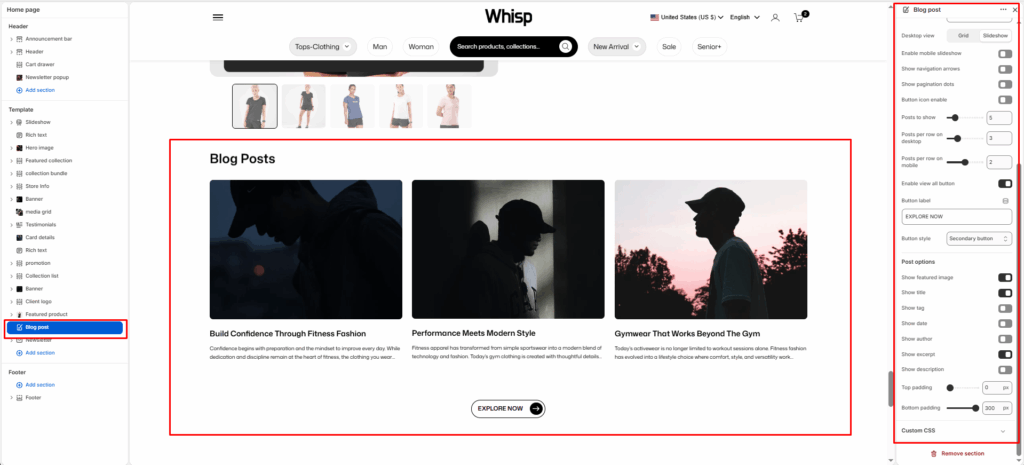
Post options
Control what post details to show under each article.
Post Options
Show featured image
Display the main image from each post.
Show tag
Show blog tags above the title if available.
Show title
Display the blog post’s title.
Show author
Include the author’s name for credibility.
Show excerpt
Display a short preview of the post content.
Show description
Show the full or partial post description if needed.
Top padding / Bottom padding
Adjust vertical spacing above and below the entire section.