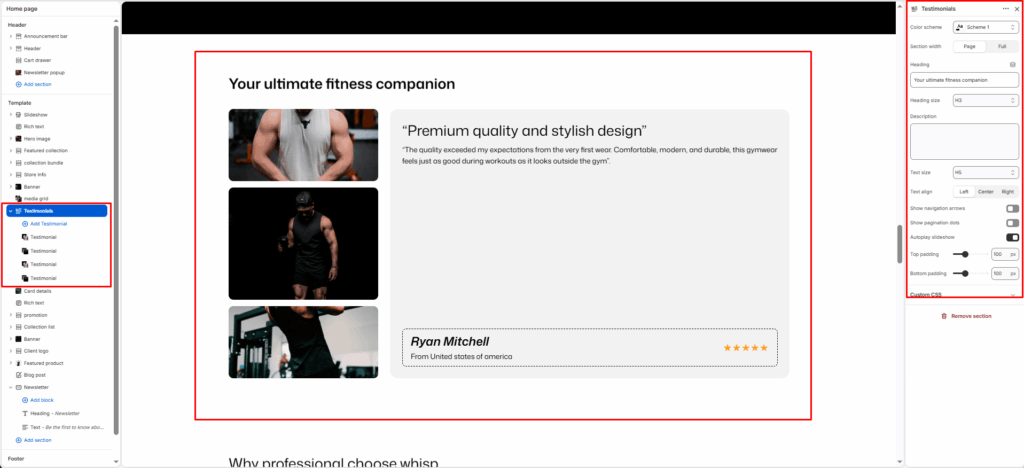
Testimonials
Testimonials are sections that contain statements or endorsements given by customers, clients, or users of a product or service, expressing their satisfaction and positive experiences. They serve as social proof, highlighting the value and benefits of what you offer, and can be presented in various formats, including written text, images, and star ratings.
Color system
Select a color scheme defined in your theme. This controls the background and text color of the entire section.
Section Width
- Page: Constrains the content to the theme’s maximum site width.
- Full: Stretches the section to the edges of the browser window.
Heading
The field allows you to set a main heading for the section.
Content position
This setting determines the horizontal alignment of text within the section. It gives the merchant control over how content, such as headings, descriptions, or buttons, is positioned, enabling better alignment with their store’s design and layout preferences.
- Left: Aligns all text to the left.
- Center: Centers the text horizontally.
- Right: Aligns all text to the right.
Navigation Enable
Select/deselect to show/hide the navigation enable.
Pagination Enable
Select/deselect to show/hide the pagination enable.
Slider Autoplay
Select/deselect to show/hide the slider autoplay.
Top padding / Bottom padding
Add vertical spacing above and below the banner content for better layout balance.
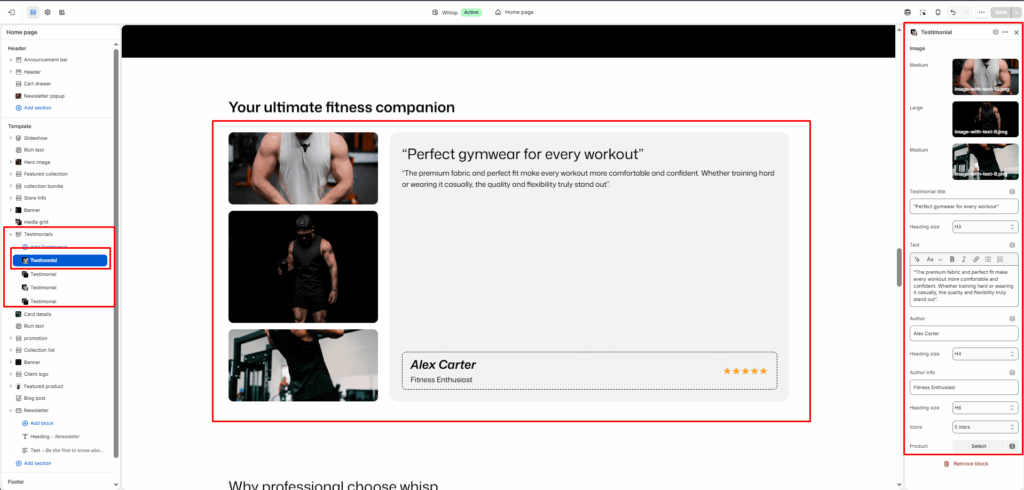
Block: Testimonial
Images
Upload up to three images to accompany the testimonial.
Each image can have a different display size:
- Small
- Medium
- Large
Testimonial Title
Enter a short heading for the testimonial.
Text
In the text box, enter body text to display inside the block.
Author
Add text to display the name of the author/client.
Author Info
Add text to display the information of the author/client.
Icon
Select an icon from 1 to 5 stars and a quote.
Product
Select the product if you are shown in testimonials