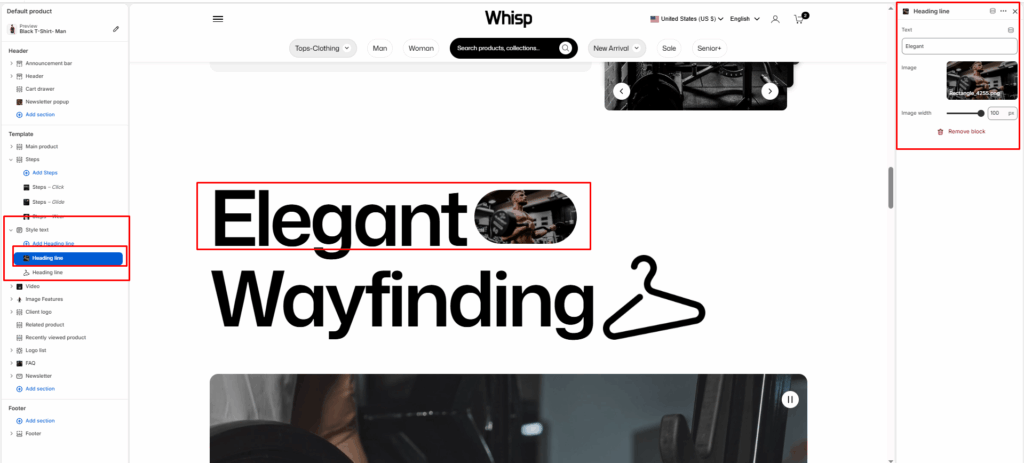
The Style Text is designed to display large, bold typographic headings combined with inline images, creating a visually striking and editorial-style layout.
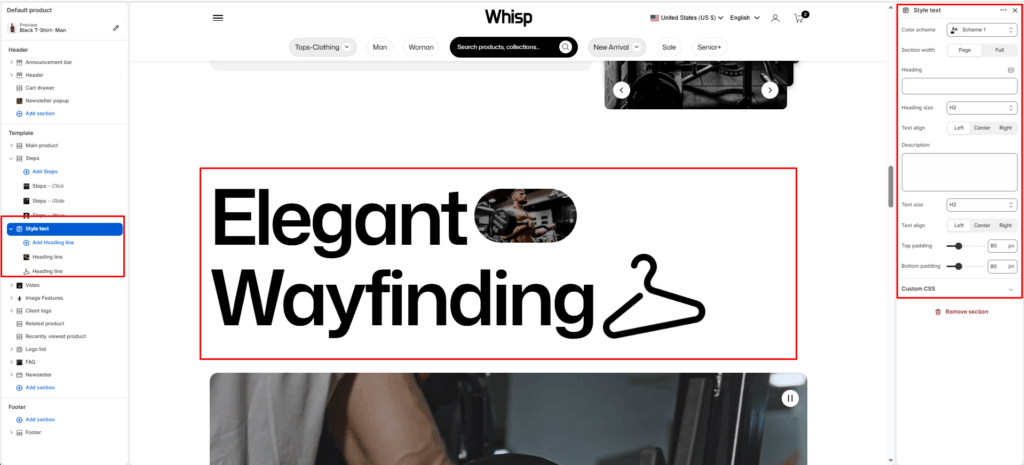
Color scheme
Select your preferred color palette for the background and text.
Section Width
- Page: Constrains the content to the theme’s maximum site width.
- Full: Stretches the section to the edges of the browser window.
Heading
Add the main promotional title. This typically appears next to the label.
Heading size
Adjust the scale of the heading from H1 to H6 to establish visual hierarchy.
Text Align
Set the alignment of the text and button to left, center, or right.
Description
Add a secondary paragraph of text below the heading.
Text Size
Controls the font size of the description text.
Text Align
Set the alignment of the text and button to left, center, or right.
Top/Bottom Padding
Adjust the vertical spacing (in pixels) to give the section room to breathe.
Heading Line Block
Each Heading Line block represents a single line of large stylized text, optionally combined with an inline image.
Text
Enter the heading line text to display in large bold typography. E.g., Elegant, Wayfinding.
Image
Upload an image to appear inline within the heading line, blending visual content directly into the text row.
Image width
Adjust the width of the inline image using a slider (in pixels).