The Article section is used for displaying a single blog post (article) page. It supports flexible layout options, sidebar customization, product recommendations, newsletter subscription, related posts, and comment features.
Layout Options
Article Layout
Choose between Column or Row layout for the article content.
Image Position
Set featured image position as Left or Right (only for Row layout).
Section Width
Control width with options Page or Full.
Color Scheme
Choose any available theme color scheme.
Article Display Settings
Show Tags
Toggle ON/OFF to display article tags.
Show Publish Date
Toggle ON/OFF to show the article’s published date.
Show Title
Toggle ON/OFF to display the article title.
Show Author
Toggle ON/OFF to show the article author name.
Show Publish Info at Bottom
Toggle ON/OFF to show author and date below the article content.
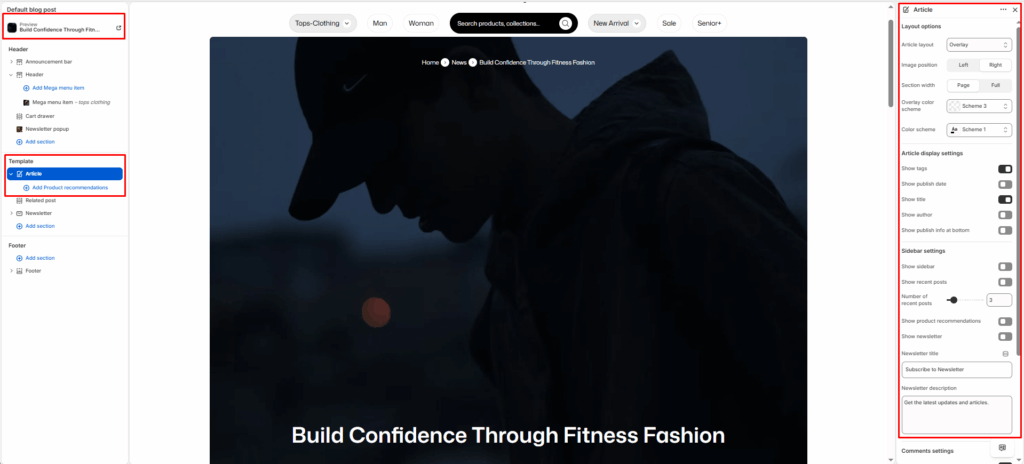
Sidebar Settings
Show Sidebar
Enable/disable sidebar beside the article.
Show Recent Posts
Toggle to show a list of recent blog posts.
Number of Recent Posts
Adjust the number of recent posts (slider).
Show Product Recommendations
Display related or featured products within the sidebar.
Show Newsletter
Enable a newsletter subscription box.
Newsletter Title
Set a custom heading for the newsletter box (default: “Subscribe to Newsletter”).
Newsletter Description
Add a short message below the title (e.g., “Get the latest updates and articles.”).
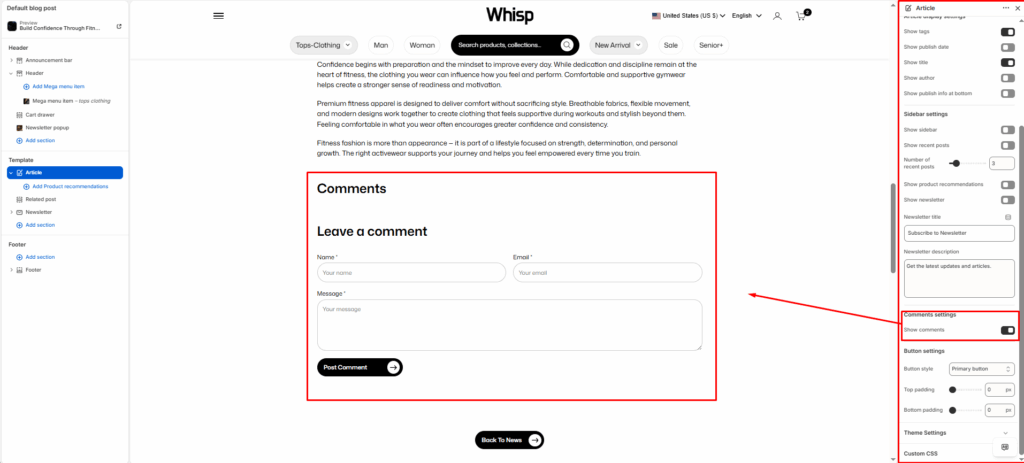
Comments Settings
Show Comments
Toggle ON/OFF to enable blog post comment functionality (includes display of comments and comment form).
Button Settings
Button Style
Choose from available theme button styles.
Top Padding
Adjust spacing above buttons (in pixels).
Bottom Padding
Adjust spacing below buttons (in pixels).
Blocks Settings
Product Recommendation Block
- Displays handpicked or dynamically recommended products related to the blog article.
- Each block can include a single product card with title, image, price, and discount display.


