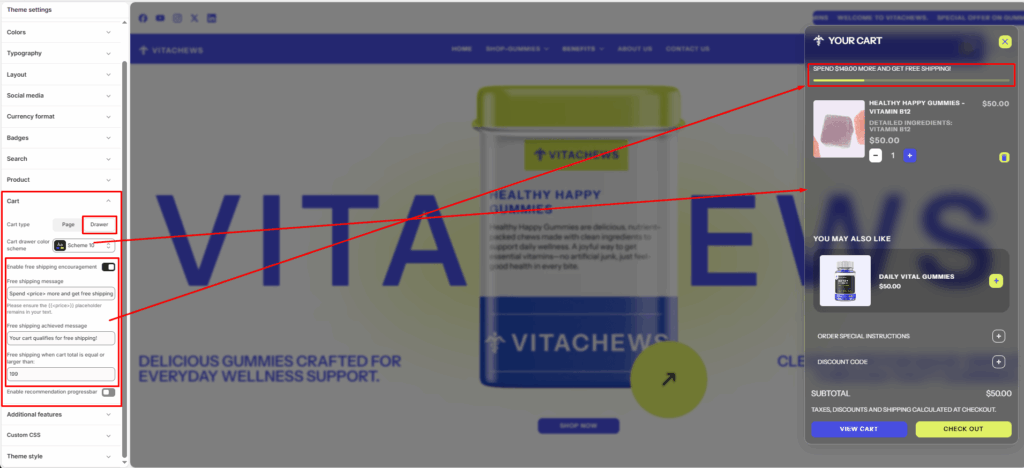
Cart Type
Use the cart type radio buttons to set the cart to display as a drawer or page when the customer selects the add to cart button. With this option set to Drawer, the cart displays on the current page inside a drawer. To turn off this functionality and redirect visitors to the cart page, select the Page option.
Cart drawer color system
Select the cart drawer background color and font color.
Enable free shipping
Select the Show free shipping progress checkbox to show/hide a progress bar for sections that display the free shipping indicator.
Minimum shipping price
In the Minimum shipping price box, enter a value to use as a threshold for the free shipping indicator.
Enable recommendation progressbar
Select the Enable recommendation progressbar checkbox to show or hide the progress bar and navigation buttons below the product recommendation slider in the cart drawer.